Last updated: — What changed: Corrected outdated facts, added source links and internal links.
Key Takeaways
- Most "broken" Facebook ad campaigns have one of 12 fixable problems — and 80% of the time it's a tracking or landing page issue, not your creative
- Before blaming the algorithm, run the 5-minute diagnostic checklist below to rule out the obvious
- The #1 mistake media buyers make: optimizing creative when the pixel isn't even firing correctly
- Audience issues cause slow bleeding. Tracking issues cause total blindness. Landing page issues cause silent leaks. Know which you're dealing with
- A structured approach to diagnosing non-converting campaigns saves you from wasting budget on the wrong fix
You're staring at your Ads Manager. Spend is climbing. Impressions look fine. CTR is decent. But conversions? Zero. Or close to it.
Your first instinct is to kill the campaign, blame the algorithm, and start over. Don't.
Nine times out of ten, Facebook ads that aren't converting have a specific, diagnosable problem — and it's usually not what you think. The algorithm didn't suddenly decide to hate your brand. Something in your funnel is broken, and once you find it, the fix is often straightforward.
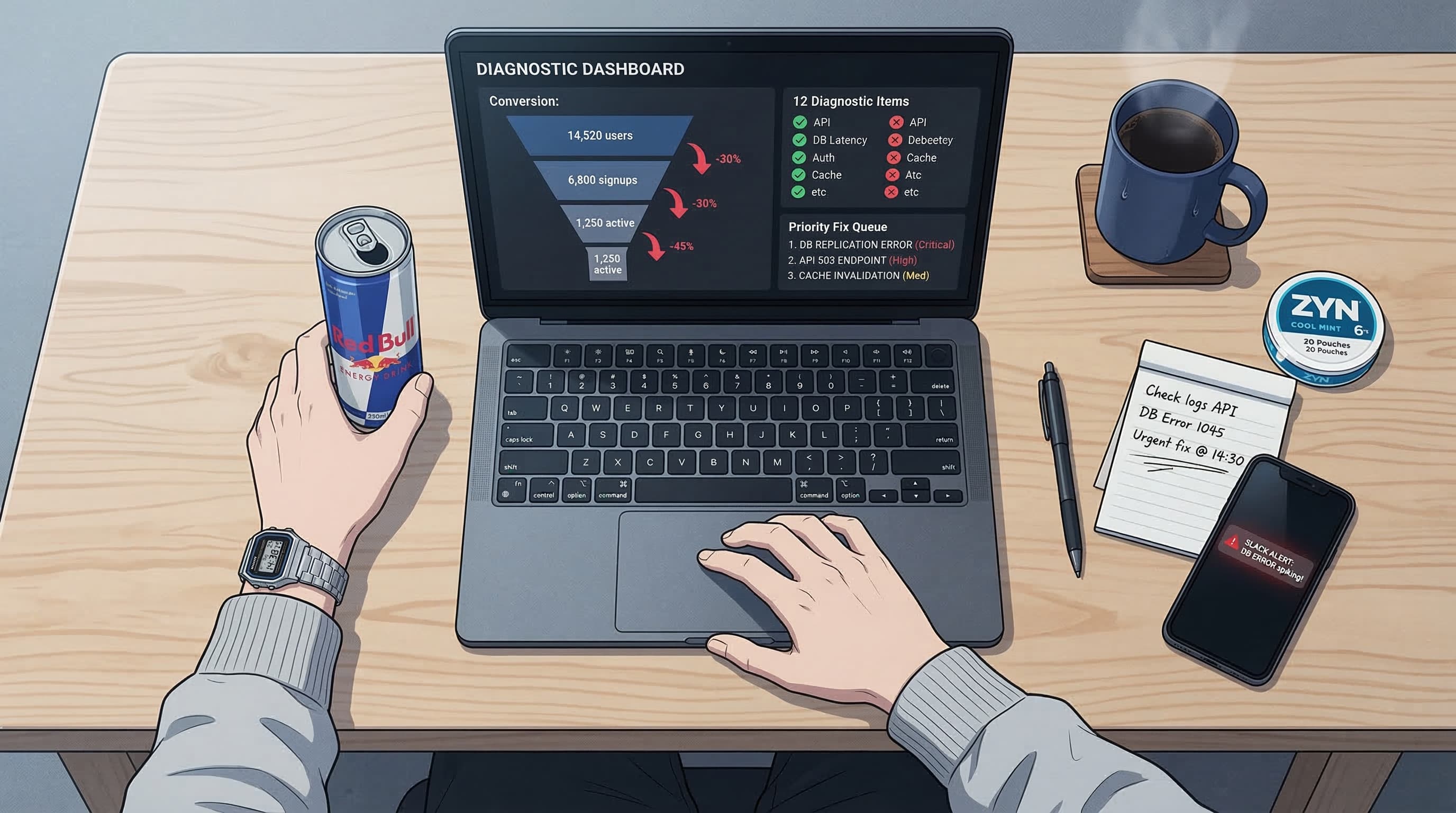
This guide walks you through the 12 most common reasons Facebook ads stop converting in 2026, organized by category so you can diagnose the problem fast and fix it without torching your entire account.
Before You Panic: The 5-Minute Diagnostic Checklist
Before you start changing targeting, rewriting copy, or rebuilding campaigns from scratch, run through these quick checks:
| Check | How to Verify | Time |
|---|---|---|
| Pixel firing? | Meta Events Manager > Test Events > browse your site | 30 sec |
| Correct conversion event selected? | Campaign > Ad Set > Optimization event matches your goal | 15 sec |
| Landing page loads? | Click your own ad preview > does the page load in under 3 seconds? | 30 sec |
| Payment method active? | Billing > check for failed payments or spending limits | 15 sec |
| Learning phase? | Ad Set delivery column > if "Learning" with < 50 conversions, give it time | 15 sec |
| Budget makes sense? | Daily budget should be at least 5x your target CPA | 15 sec |
| Ad approved? | Check for policy flags or "In Review" status on all ads | 30 sec |
If everything above checks out and you're still not converting after 3-5 days with sufficient spend, it's time to dig deeper. The free drop diagnostic runs the same checks against your live account data if you'd rather not do it by hand.
Is your tracking broken, or are your Facebook ads? (Reasons 1-3)
Tracking problems are the most dangerous category because they make you think nothing is working when conversions might actually be happening — you just can't see them. Fix these first, always.
1. Pixel Not Firing Correctly / Conversions API Not Set Up
The problem: Your Meta pixel is either not installed, installed on the wrong pages, or firing duplicate events. In 2026, browser-side pixel tracking alone captures roughly 60-70% of conversions due to iOS privacy changes, ad blockers, and cookie restrictions. Without the Conversions API (CAPI) running server-side, you're flying partially blind.
Symptoms:
- Ads Manager shows zero or very few conversions
- Google Analytics or your CRM shows conversions that Meta doesn't
- Events Manager shows "No Activity" or very low event counts
- Event Match Quality score below 6.0
How to fix it:
- Go to Events Manager > Test Events and browse your site. Verify each event fires on the correct page
- Check for duplicate events — the Pixel Helper Chrome extension flags these
- Set up Conversions API if you haven't. Most platforms (Shopify, WordPress/WooCommerce, Squarespace) now have native CAPI integrations that take under 30 minutes
- Use Event Match Quality as your north star — aim for a score of 7.0 or higher by passing email, phone, and other parameters
- Enable Automatic Advanced Matching to improve match rates
Reality check: If your Event Match Quality is below 5.0 and you don't have CAPI running, fixing this alone can double your reported conversions overnight. Not because you weren't getting them — because Meta couldn't see them.
2. Wrong Attribution Window
The problem: You're measuring success with the wrong ruler. Meta's default attribution window is 7-day click, 1-day view. If you changed this (or a previous team member changed it), you might be attributing conversions incorrectly — either over-counting or under-counting.
Symptoms:
- Conversions in Ads Manager don't match your backend data
- Performance looks wildly different when you toggle attribution settings in the Columns menu
- High-ticket products with long sales cycles show almost zero conversions
How to fix it:
- Go to Columns > Customize Columns and check which attribution window is selected
- For most ecommerce: 7-day click, 1-day view is the standard
- For high-ticket B2B or products with a 2+ week sales cycle: compare 7-day click vs. 28-day click to see the real picture
- If you changed attribution to 1-day click only, you're likely hiding 30-50% of your actual conversions
- Be consistent — pick one window and stick with it for all reporting
Pro tip: Always compare Meta's reported conversions against your actual backend data (Shopify orders, CRM entries, etc.) weekly. The gap between reported and actual tells you how much signal Meta is missing.
3. Conversion Event Misconfigured
The problem: You're optimizing for the wrong event, or your event hierarchy is set up incorrectly. Common examples: optimizing for "Add to Cart" when you want purchases, using a custom event that doesn't have enough volume, or accidentally creating a second "Purchase" event that splits your data.
Symptoms:
- You're getting the event you optimized for (e.g., lots of Add to Carts) but not the downstream action you actually want (purchases)
- Custom events show inconsistent or very low firing
- Events Manager shows multiple events that seem like duplicates
How to fix it:
- Audit your event setup in Events Manager > Overview. Look for duplicate or overlapping events
- Make sure you're optimizing for the event closest to revenue. The hierarchy: Purchase > Initiate Checkout > Add to Cart > View Content
- If you need at least 50 conversions per week for an event, and you're not hitting that, move up the funnel to a higher-volume event
- Use Aggregated Events Measurement priorities correctly — Purchase should be your #1 priority event
- Test fire every event manually and verify in Events Manager > Test Events
Is your creative the reason nobody converts? (Reasons 4-6)
Your tracking is fine. Meta can see conversions. But people see your ad and don't care. Creative problems are usually the second thing to check — and the most common thing media buyers blame first.
4. Creative Fatigue (Frequency Too High)
The problem: Your audience has seen your ad too many times. They've gone blind to it. This is the most common performance killer for campaigns that were working and suddenly stopped. Our complete guide to ad fatigue detection covers the five signals that show up before CPA moves.
Symptoms:
- Frequency above 3.0 (for cold audiences) or above 6.0 (for retargeting)
- CTR declining week over week while impressions stay flat
- CPM increasing — Meta is working harder to find people who'll engage
- CPA creeping up 10-20% per week
How to fix it:
- Check frequency at the ad level, not campaign level. One ad might be at frequency 8.0 while others are at 2.0
- Rotate in new creative every 2-3 weeks for cold audiences
- Don't just change the thumbnail — change the hook, the angle, and the format. A new color scheme on the same message doesn't reset fatigue
- Build a creative pipeline: aim for 3-5 new concepts per week for every $500/day in spend
- For retargeting, frequency up to 8-10 is acceptable, but rotate creative monthly at minimum
5. Weak Hook (First 3 Seconds)
The problem: Your ad's first 3 seconds don't stop the scroll. In 2026, the average user scrolls past an ad in 1.7 seconds. If your video starts with a logo animation or your static image looks like a stock photo, you've already lost.
Symptoms:
- Video ThruPlay rate below 15%
- High impressions but very low CTR (under 0.8% for cold traffic)
- Low engagement (likes, comments, shares near zero)
- Hook rate (3-second video views / impressions) below 25%
How to fix it:
- Lead with the problem or a bold claim, never your logo
- For video: the first frame should be visually disruptive — text overlay, face close-up, unexpected visual
- For static images: put the benefit above the fold. If someone can't understand your offer in 2 seconds, simplify
- Test 3-5 different hooks on the same body creative — the hook generator will give you a batch to work from. The hook is usually the variable that matters most
- Study your competitors' top-performing ads using the Meta Ad Library — look for patterns in what hooks they're repeating
The test: Show your ad to someone for 2 seconds and ask "what is this ad about?" If they can't answer, your hook is too weak.
6. Offer-Creative Mismatch
The problem: Your ad promises one thing, but the creative communicates something else. Or the ad creative doesn't match the actual offer. This creates confusion, and confused people don't convert.
Symptoms:
- Good CTR but terrible conversion rate on the landing page
- High bounce rate from ad traffic (above 70%)
- Comments on ads saying "what is this?" or asking basic questions about the product
How to fix it:
- Read your ad copy, then look at your creative, then look at your landing page. Does the message flow naturally?
- If your copy says "50% off" the creative should reinforce that visually — not show an unrelated lifestyle image
- Match the specific product shown in the creative to the exact product on the landing page. Don't show Product A and land on a category page
- Test: if you removed all the copy, would someone understand the offer from the image/video alone?
- The strongest ads have one clear message repeated across headline, body copy, creative, and CTA
Are you showing the right ad to the wrong people? (Reasons 7-9)
Your tracking works. Your creative is solid. But you're showing the right ad to the wrong people — or asking Meta to optimize for the wrong outcome.
7. Audience Too Narrow or Too Broad
The problem: If your audience is too narrow (under 500K for cold traffic), Meta doesn't have enough room to optimize. If it's too broad (50M+), Meta might spend your budget on cheap, low-intent impressions before finding converters.
Symptoms:
- Too narrow: High CPMs, low delivery, "Learning Limited" status
- Too broad: Low CPMs but very low CTR and near-zero conversion rate
- Audience size doesn't match your daily budget (too much budget for a small audience, or too little for a massive one)
How to fix it:
- For cold prospecting, aim for audiences between 1M-10M in your target geo
- Start with Advantage+ Audience (broad targeting) and let Meta's algorithm find converters — this works well in 2026 with enough conversion data
- If using interest targeting, stack 3-5 related interests rather than using just one
- Exclude existing customers and recent converters from cold campaigns
- Rule of thumb: your daily budget should allow reaching at least 1% of your audience daily. If your audience is 1M, budget at least enough for 10K impressions
8. Audience Saturation / Overlap
The problem: You have multiple ad sets targeting the same people, or your retargeting audience is so small that the same 5,000 people see your ads 15 times a month. Your campaigns are competing against each other in the auction, driving up costs.
Symptoms:
- Audience Overlap tool (in Audiences) shows >30% overlap between active ad sets
- Retargeting frequency above 10 in a 7-day window
- CPA increasing across multiple campaigns simultaneously
- Delivery is "Learning Limited" on several ad sets at once
How to fix it:
- Use Meta's Audience Overlap tool: go to Audiences > select 2+ audiences > Actions > Show Audience Overlap. Our audience overlap checker runs the same comparison across every active ad set at once
- Consolidate overlapping ad sets into fewer, broader ad sets. Meta's algorithm performs better with consolidation in 2026
- For retargeting, use exclusions: exclude 7-day website visitors from 30-day campaigns, exclude purchasers from all retargeting
- Limit yourself to 2-3 active cold ad sets and 1-2 retargeting ad sets per campaign objective
- Use Campaign Budget Optimization (CBO) to let Meta allocate budget dynamically instead of splitting it manually
9. Wrong Campaign Objective
The problem: You chose Traffic or Engagement when you wanted Sales. Meta optimizes for exactly what you tell it — and if you tell it to find clickers, it will find people who click on everything and buy nothing.
Symptoms:
- Great top-of-funnel metrics (high CTR, low CPC) but zero conversions
- Lots of link clicks but extremely high bounce rate
- Using a Traffic or Engagement campaign and wondering why nobody converts
How to fix it:
- Always use the Sales objective for conversion campaigns. Period. Traffic campaigns attract clickers, not buyers
- If you don't have enough conversion data for Sales (under 50 conversions/week), use Leads or optimize for a higher-funnel event like Add to Cart
- Never use Boost Post for conversion goals — it optimizes for engagement, not sales
- For lead generation: use the Leads objective with instant forms, not Traffic pointing to a landing page (unless you have strong landing page conversion data)
- Review all active campaigns and pause any using the wrong objective — they're wasting budget and polluting your pixel data
Is your landing page killing the conversion? (Reasons 10-12)
This is the silent killer category. Everything looks great in Ads Manager — good CTR, decent engagement, right audience. But conversions tank because the landing page experience is broken.
10. Slow Load Time
The problem: Your landing page takes more than 3 seconds to load, and 53% of mobile users abandon a page that takes longer than 3 seconds. Every second of load time after 3 seconds drops your conversion rate by roughly 7%.
Symptoms:
- High link CTR in Meta but very high bounce rate in Google Analytics
- Landing page conversion rate below 1% (industry average is 2-5% for paid traffic)
- Google PageSpeed Insights score below 50 on mobile
How to fix it:
- Test your page at Google PageSpeed Insights and aim for a mobile score above 70
- Compress images — most landing page slowness comes from unoptimized images. Use WebP format
- Remove unnecessary scripts, pop-ups, and chat widgets that load on page entry
- Use a CDN (most hosting platforms include this)
- Enable lazy loading for below-the-fold images
- Consider a dedicated landing page tool (Unbounce, Instapage) instead of your main site for paid traffic
11. Mobile Experience Broken
The problem: 85%+ of Facebook ad clicks happen on mobile, but your landing page was designed for desktop. Buttons are too small, forms are too long, text is unreadable, or the checkout requires pinch-zooming.
Symptoms:
- Desktop conversion rate is 3-5x higher than mobile
- High mobile bounce rate (above 80%)
- Form completion rate on mobile is near zero
How to fix it:
- Open your landing page on your phone right now. Go through the entire flow — from landing to conversion. Time yourself
- Forms should have no more than 3-4 fields on mobile. Every additional field drops completion rate by 10-15%
- CTA buttons should be thumb-friendly: at least 48px tall, full-width on mobile
- Text should be readable without zooming — minimum 16px font size
- Remove anything that's not essential on mobile: sidebars, unnecessary images, secondary navigation
- Test on both iOS and Android — rendering differences cause real problems
The rule: If you can't complete your conversion action on mobile in under 60 seconds, your landing page is too complicated.
12. Message Mismatch Between Ad and Landing Page
The problem: Your ad says "Get 50% off running shoes" and the landing page shows your full product catalog. Or the ad features a specific product but the landing page requires three clicks to find it. This disconnect kills conversions instantly.
Symptoms:
- High CTR on ads but landing page conversion rate below 1%
- Short time-on-page (under 10 seconds average)
- High bounce rate specifically from ad traffic (compare to organic traffic bounce rate)
How to fix it:
- Every ad should link to a page that delivers exactly what the ad promised — same offer, same product, same language
- If your ad mentions a specific discount, it should be visible above the fold on the landing page
- Use dedicated landing pages for each ad angle rather than sending everything to your homepage
- The headline on your landing page should echo the headline of your ad
- Test it yourself: click your ad, land on the page, and ask "does this match what I just saw?" If there's any confusion, fix it
| Ad Says | Landing Page Should Show | Common Mistake |
|---|---|---|
| "50% off summer collection" | Summer collection with 50% off prominently displayed | Homepage with no mention of the sale |
| "Free trial of [product]" | Free trial signup form above the fold | Pricing page with trial buried in fine print |
| "Solve [specific problem]" | Content addressing that specific problem | Generic product features page |
| "As seen on [press]" | Social proof section + the product | Product page with no social proof visible |
How to Prioritize Your Fixes
Don't try to fix everything at once. Follow this decision tree:
Step 1: Is tracking working?
- Open Events Manager > Test Events > browse your site
- If events aren't firing correctly: STOP. Fix tracking first. Nothing else matters if you can't measure results
- If tracking is fine: move to Step 2
Step 2: Is the landing page functional?
- Click your own ad on mobile. Load the page. Try to convert
- If it's slow, broken, or confusing: fix the landing page before touching anything in Ads Manager
- If the landing page works: move to Step 3
Step 3: Is the campaign set up correctly?
- Check: right objective (Sales), right conversion event (Purchase), reasonable audience size (1M-10M), sufficient budget (5x target CPA daily) — the health grader checks all four across every campaign in one pass
- If any of these are wrong: fix them. These are campaign structure issues, not optimization issues
- If setup is correct: move to Step 4
Step 4: Is the creative working?
- Check frequency, CTR trends, hook rate, and offer-creative alignment
- If frequency is high or CTR is declining: rotate creative
- If CTR is consistently low: test new hooks and angles
The priority order is always: Tracking > Landing Page > Campaign Structure > Creative. Most people start with creative because it's the most fun to change. Don't be most people.
When Should You Kill a Campaign vs. Fix It?
Not every campaign deserves saving. Here's how to decide:
| Scenario | Action | Why |
|---|---|---|
| Zero conversions after spending 3x your target CPA | Kill it | If Meta can't find a single converter in 3x CPA of spend, the fundamentals are off |
| Conversions started strong, then declined over 2+ weeks | Fix it | This is usually fatigue or saturation — refresh creative and audiences |
| Low CTR (below 0.8%) from day one | Kill it | The creative isn't resonating. Don't optimize a bad concept — start fresh |
| Good CTR, good engagement, zero conversions | Fix it | This is almost always a landing page or tracking issue. The ad is working; the funnel isn't |
| CPA is 2x target but trending down during learning phase | Wait | Meta needs 50 conversions to exit learning phase. Give it time if the trend is positive |
| CPA is 5x target after learning phase | Kill it | The math doesn't work. Even optimization won't bridge a 5x gap |
The 72-hour rule: Never kill a campaign in the first 72 hours unless it's burning budget with zero engagement. Meta's algorithm needs time to learn, and early data is noisy.
How AutoAdy Detects These Issues Automatically
Diagnosing these 12 issues manually is doable at low spend. But once you're running 10+ campaigns across multiple ad accounts, manual checks become a full-time job — and you'll miss things.
AutoAdy's Intelligence Engine continuously monitors your campaigns for all 12 of these issues:
- Tracking health monitoring — Alerts you when conversion events stop firing or event match quality drops below threshold
- Creative fatigue detection — Identifies ad fatigue 2-3 days before it tanks your CPA, based on frequency + CTR + CPM compound signals (not just frequency alone)
- Audience overlap analysis — Flags when your ad sets are competing against each other and recommends consolidation
- Landing page performance — Tracks bounce rate and conversion rate by traffic source, alerting you to landing page issues
- Campaign structure audit — Catches wrong objectives, insufficient budgets, and misconfigured events
You can also set up custom Automation Rules to automatically pause fatigued ads, alert you to tracking issues, or reallocate budget from underperforming ad sets — all without logging into Ads Manager.
The goal isn't to replace your judgment. It's to make sure none of these 12 problems go undetected while you're focused on strategy and creative.
FAQ
How long should I wait before deciding my Facebook ads aren't converting?
Give a new campaign at least 72 hours and enough budget to generate 50 optimization events (usually 50 conversions or higher-funnel events). If you're spending less than your target CPA per day, you're not giving Meta enough data to optimize. For most campaigns, 5-7 days with adequate budget is the minimum evaluation window.
My Facebook ads were converting great and suddenly stopped. What happened?
The most common cause is creative fatigue — check your frequency and CTR trend over the past 14 days. Other culprits: a competitor launched aggressive campaigns in your niche (raising auction prices), your pixel stopped firing due to a website update, or Meta made a backend change that affected your audience segments. Start with the diagnostic checklist above and work through it systematically.
Do I need the Conversions API (CAPI) in 2026, or is the pixel enough?
CAPI is effectively mandatory in 2026. With iOS privacy changes, browser tracking prevention, and ad blockers, the pixel alone misses 30-40% of conversions. Without CAPI, Meta's algorithm is optimizing with incomplete data, which directly hurts your CPA. Every major ecommerce platform and most CMS tools now support native CAPI integration — there's no reason not to set it up.
How much should I spend before giving up on a campaign?
A useful benchmark: spend at least 3x your target CPA before deciding a campaign isn't working. If your target CPA is $30, spend at least $90. If your target CPA is $100, spend at least $300. Below that threshold, you don't have enough data for a meaningful conclusion. However, if you've spent 3x your target CPA and have zero conversions (not just low conversions — literally zero), something fundamental is wrong.
Should I use Advantage+ Shopping Campaigns or manual campaigns?
Advantage+ Shopping Campaigns (ASC) work well when you have strong creative, a healthy pixel with 50+ weekly conversions, and you're selling products directly. They remove most targeting controls and let Meta's algorithm find buyers. For lead generation, niche audiences, or accounts with limited conversion data, manual campaigns with structured targeting still outperform. Many media buyers run both: ASC for proven creative at scale, manual campaigns for testing new audiences and angles.
Stop Guessing, Start Diagnosing
Every hour you spend guessing why your ads aren't converting is budget wasted on the wrong fix. The 12 issues above account for the vast majority of non-converting Facebook ad campaigns — and every single one has a clear diagnostic path and a proven fix.
Start with tracking. Then landing page. Then campaign structure. Then creative. Follow that order, and you'll find the problem faster than 90% of media buyers who jump straight to creative changes.
If you want these diagnostics running automatically across all your campaigns, try AutoAdy free — it monitors for all 12 of these issues in real-time and alerts you before they burn through your budget.