Last updated: — What changed: Corrected outdated facts, added source links and internal links.
Short answer: If you're still relying on the Meta Pixel alone, you're flying blind on 30-40% of your conversions. Browser restrictions, iOS privacy changes, and cookie deprecation have gutted client-side tracking. The Conversions API (CAPI) sends conversion data server-to-server, bypassing browser limitations entirely. This guide covers every setup method, Event Match Quality optimization, deduplication, and the privacy compliance you can't afford to skip.
Key Takeaways
- Client-side pixel tracking misses 20-40% of conversion events due to browser restrictions and ad blockers — and the gap widens every time a browser tightens its cookie policy.
- Advertisers using CAPI alongside the pixel see an average 13% decrease in cost per result, according to Meta's published Conversions API case studies.
- Event Match Quality (EMQ) score of 6+ is the minimum for effective optimization. Most accounts launching CAPI for the first time score 3-4 and need tuning.
- Deduplication is critical — without it, you'll double-count conversions and your CPA reporting becomes useless.
- CAPI is not optional for Advantage+ campaigns. The algorithm relies on complete conversion data to optimize. Incomplete data means worse optimization.
Why isn't the Meta Pixel enough on its own anymore?
Because the browser can no longer be trusted to report every conversion. Let's quantify the problem before solving it.
The Meta Pixel is a JavaScript snippet that fires in the user's browser when they take an action (page view, add to cart, purchase). It's been the backbone of Meta ads tracking since 2015. And it's breaking.
The Tracking Gap
| Blocking Mechanism | Impact | Affected Users |
|---|---|---|
| iOS 14.5+ App Tracking Transparency | Blocks cross-app tracking | 96% of iOS users opted out (Flurry Analytics, 2025) |
| Safari Intelligent Tracking Prevention | 7-day cookie limit, blocks 3rd party cookies | 19% of web traffic (StatCounter, 2025) |
| Firefox Enhanced Tracking Protection | Blocks 3rd party tracking by default | 3% of web traffic |
| Chrome Privacy Sandbox | Phasing out 3rd party cookies (2025+) | 65% of web traffic |
| Ad blockers | Block pixel entirely | 32% of internet users (Backlinko, 2025) |
| VPNs and privacy browsers | Mask or block tracking | Growing segment |
Conservative estimate: 20-40% of your actual conversions never reach Meta through the pixel alone. That's not a minor tracking discrepancy — it's a structural data gap that directly degrades your ad optimization.
Why This Matters for Optimization
Meta's ad delivery algorithm — especially Advantage+ — optimizes based on conversion signals. Fewer signals mean:
- Longer learning phases: The algorithm needs 50+ conversions per week per ad set. Missing 30% of conversions means you need 30% more actual conversions to hit that threshold — the free learning phase calculator shows what that does to your timeline.
- Worse audience targeting: The algorithm learns who converts by analyzing conversion data. Incomplete data means incomplete audience modeling.
- Inflated CPAs: Your reported CPA is higher than reality (missing conversions aren't counted), which makes campaigns look worse than they are — and might cause you to kill winners prematurely. Tracking is the first thing to rule out when ads look like they've stopped converting.
CAPI doesn't fix privacy — users who opt out still opt out. But it captures conversions that the pixel misses due to technical limitations (browser restrictions, ad blockers, cookie expiry), giving the algorithm more data to work with.
What is the Meta Conversions API and how does it work?
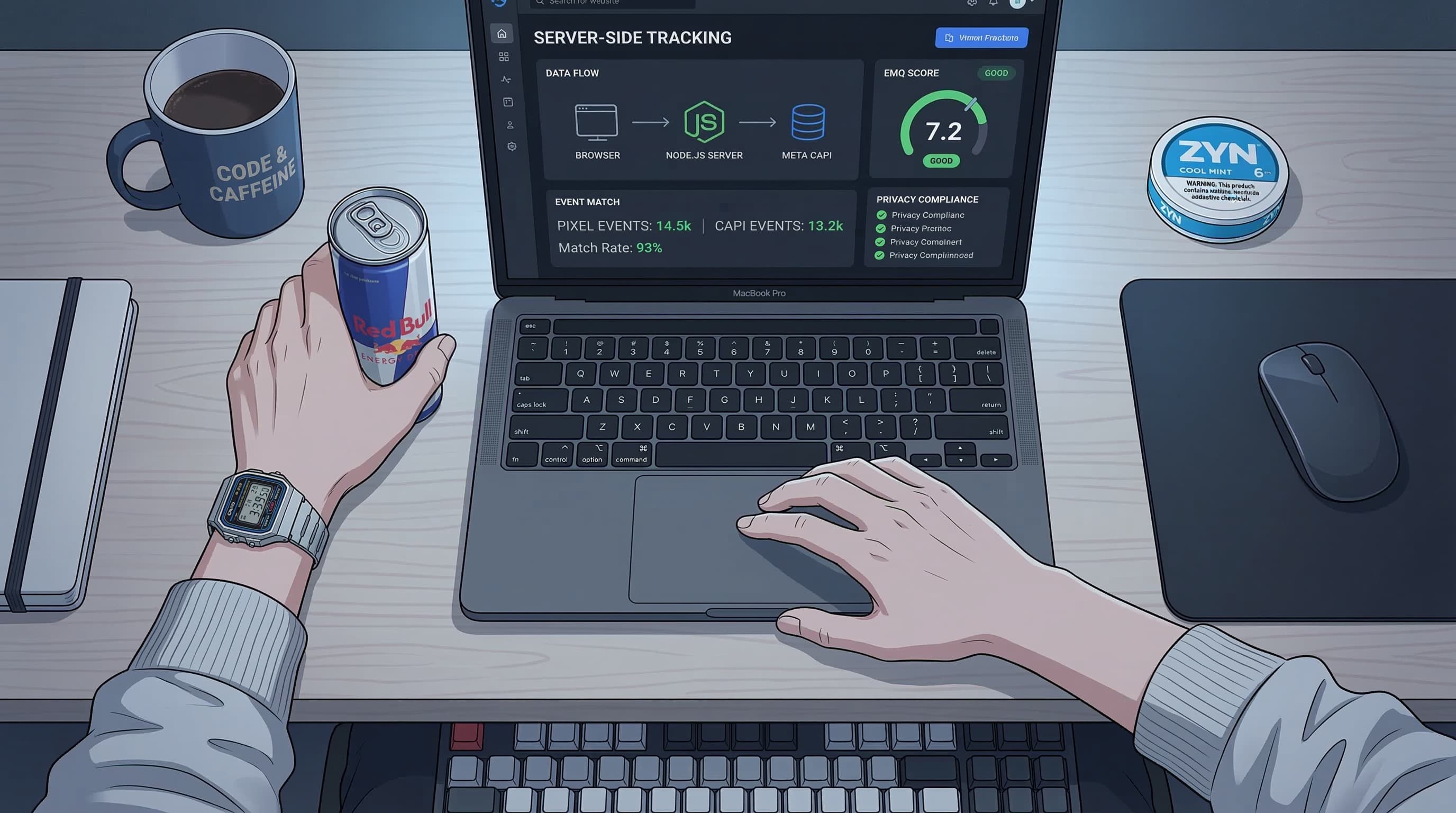
The Conversions API is a server-to-server integration. Instead of relying on the user's browser to send conversion data to Meta, your server sends it directly.
Data Flow Comparison
Pixel only:
User action → Browser fires pixel → Meta receives event
                  ↓ (blocked by)
            iOS ATT, ad blockers,
            cookie restrictions, ITP
Pixel + CAPI (recommended):
User action → Browser fires pixel → Meta receives event
           → Server sends CAPI event → Meta receives event
                                        ↓
                                  Meta deduplicates
                                  (counts once)
CAPI only (advanced):
User action → Server sends CAPI event → Meta receives event
The recommended setup is Pixel + CAPI together, with deduplication. The pixel captures events the server might miss (like page views from cached pages), and CAPI captures events the pixel misses. Meta deduplicates using event IDs so nothing gets counted twice.
Which CAPI setup option should you choose?
There are four ways to implement CAPI, ranging from zero-code to full custom. Choose based on your platform and technical resources.
Option 1: Platform-Native Integration (Easiest)
If you're on a major e-commerce platform, CAPI integration is built in.
| Platform | Setup Method | Effort |
|---|---|---|
| Shopify | Meta Sales Channel app (automatic) | 5 minutes |
| WooCommerce | Facebook for WooCommerce plugin | 15 minutes |
| BigCommerce | Meta Pixel integration (built-in CAPI) | 10 minutes |
| Magento | Meta Business Extension | 30 minutes |
| WordPress (non-WooCommerce) | PixelYourSite or custom | 30-60 minutes |
Shopify is the gold standard here. Install the Meta Sales Channel, connect your account, and CAPI is enabled automatically for all standard events (PageView, ViewContent, AddToCart, InitiateCheckout, Purchase). No code required.
Limitation: Platform integrations send limited customer data parameters. EMQ scores typically land at 4-5 without additional configuration. See the EMQ section below for optimization.
Option 2: Google Tag Manager Server-Side (Recommended for Custom Sites)
GTM Server-Side is the most flexible non-custom approach. It runs a server-side container (hosted on Google Cloud or a provider like Stape.io) that processes and forwards events.
How it works:
- Your website GTM fires tags as usual (client-side)
- Events are sent to your server-side GTM container
- Server-side GTM transforms the data and sends it to Meta's CAPI endpoint
- The pixel fires simultaneously for redundancy
Setup steps:
- Create a server-side GTM container
- Deploy it (Stape.io, Google Cloud Run, or AWS)
- Install the Meta Conversions API tag in server-side GTM
- Configure event mappings (standard events: Purchase, AddToCart, Lead, etc.)
- Pass customer data parameters (email, phone, etc.) through the data layer
- Set up deduplication with matching event IDs
Cost: Stape.io starts at $20/month. Google Cloud Run is usage-based (~$30-50/month for moderate traffic).
Advantage: Full control over what data is sent, easy to add additional parameters for better EMQ, works across any website.
Option 3: Direct API Integration (Full Control)
For engineering teams who want complete control, integrate directly with Meta's Conversions API.
Endpoint:
POST https://graph.facebook.com/v24.0/{PIXEL_ID}/events
Request body structure:
{
  "data": [
    {
      "event_name": "Purchase",
      "event_time": 1710000000,
      "event_id": "unique-event-id-123",
      "event_source_url": "https://yoursite.com/thank-you",
      "action_source": "website",
      "user_data": {
        "em": ["hashed-email"],
        "ph": ["hashed-phone"],
        "fn": ["hashed-first-name"],
        "ln": ["hashed-last-name"],
        "ct": ["hashed-city"],
        "st": ["hashed-state"],
        "zp": ["hashed-zip"],
        "country": ["hashed-country"],
        "external_id": ["hashed-user-id"],
        "client_ip_address": "1.2.3.4",
        "client_user_agent": "Mozilla/5.0...",
        "fbc": "fb.1.123456789.AbCdEf",
        "fbp": "fb.1.123456789.987654321"
      },
      "custom_data": {
        "value": 99.99,
        "currency": "USD",
        "content_ids": ["SKU-123"],
        "content_type": "product"
      }
    }
  ],
  "access_token": "YOUR_ACCESS_TOKEN"
}
Critical implementation details:
- Hash all PII with SHA-256 before sending. Meta rejects unhashed data.
- Include
event_idmatching your pixel's event ID for deduplication. - Send events within 1 hour of occurrence. Meta drops events older than 72 hours.
- Batch events — send up to 1,000 events per request for efficiency.
- Pass
fbcandfbpcookies from the user's browser to improve matching.
Option 4: Meta's Conversions API Gateway (Managed)
Meta offers a managed CAPI Gateway solution that runs on AWS in your account. It handles the server infrastructure and event processing automatically.
Best for: Teams that want CAPI reliability without managing servers. Limitation: AWS-only, and costs scale with event volume.
What is Event Match Quality (EMQ) and why does it matter?
Event Match Quality is Meta's measure of how well your CAPI events can be matched to Facebook users. It's scored 1-10 per event type.
Why EMQ Matters
Higher EMQ = better matching = more conversion data for the algorithm = better optimization.
| EMQ Score | Match Rate | Impact |
|---|---|---|
| 1-3 | Poor (<30%) | Algorithm can't use most events |
| 4-5 | Fair (30-50%) | Basic optimization, missing opportunities |
| 6-7 | Good (50-70%) | Solid optimization performance |
| 8-10 | Excellent (70%+) | Maximum algorithmic benefit |
How to Check Your EMQ
Events Manager → Data Sources → Your Pixel → Overview tab → Event Match Quality column.
How to Improve EMQ
Each customer data parameter you include increases matching probability:
| Parameter | Field | Match Impact | Priority |
|---|---|---|---|
em | High | Must have | |
| Phone | ph | High | Must have |
| First name | fn | Medium | Should have |
| Last name | ln | Medium | Should have |
| City | ct | Low | Nice to have |
| State | st | Low | Nice to have |
| Zip code | zp | Medium | Should have |
| Country | country | Low | Nice to have |
| External ID | external_id | High | Must have |
| Click ID (fbc) | fbc | Very High | Must have |
| Browser ID (fbp) | fbp | Very High | Must have |
| IP address | client_ip_address | Medium | Must have |
| User agent | client_user_agent | Medium | Must have |
The quickest wins for EMQ:
- Pass fbc and fbp cookies — these are Meta's own identifiers, already on the user's browser. Highest match rate.
- Include email and phone — most e-commerce checkouts collect both. Hash with SHA-256 before sending.
- Add external_id — your internal user/order ID, hashed. Enables cross-device matching.
- Include IP and user agent — available on every server request. No user input needed.
Going from EMQ 4 to EMQ 7 is typically achieved by adding fbc/fbp cookies and email/phone. That jump alone can improve your reported CPA by 15-25%.
How do you stop the Pixel and CAPI from double-counting conversions?
If you run Pixel + CAPI (recommended), the same conversion event gets sent twice — once from the browser, once from your server. Without deduplication, Meta counts it twice.
How Deduplication Works
Meta deduplicates using two fields:
event_id— a unique identifier for each event occurrenceevent_name— the event type (Purchase, Lead, etc.)
If Meta receives two events with the same event_name and event_id within 48 hours, it counts them as one event and uses the data from whichever event has better user matching parameters.
Implementation
Generate a unique event ID for each conversion and pass it to both the pixel and CAPI:
Browser (Pixel):
const eventId = 'purchase_' + Date.now() + '_' + Math.random().toString(36).substr(2, 9);
fbq('track', 'Purchase', { value: 99.99, currency: 'USD' }, { eventID: eventId });
Server (CAPI):
Send the same eventId value in the event_id field of your CAPI request.
Common deduplication mistakes:
- Different event IDs for the same event. If the pixel sends
evt_123and CAPI sendsevt_456for the same purchase, Meta treats them as two separate purchases. Your reported conversions double. - Reusing event IDs across different events. Each occurrence needs a unique ID. Don't use the order ID alone — append a timestamp or event type prefix.
- Not sending event IDs at all. Without event IDs, Meta falls back to fuzzy deduplication (same event name + similar timing + same user), which is unreliable.
Verifying Deduplication
In Events Manager → Test Events:
- Trigger a test conversion on your site
- Check that both Pixel and CAPI events appear
- Verify they show the same event ID
- Confirm Meta shows "Deduplicated" status
Privacy Compliance: What You Must Do
CAPI sends customer data to Meta. You're responsible for compliance with GDPR, CCPA, and other privacy regulations.
Required: Hash All PII
Meta requires SHA-256 hashing of all personally identifiable information before it reaches their servers. This includes email, phone, name, address, and external IDs.
Do NOT send unhashed data. This violates Meta's terms and most privacy regulations.
// Node.js example
const crypto = require('crypto');
const hashedEmail = crypto.createHash('sha256')
  .update(email.trim().toLowerCase())
  .digest('hex');
Pre-processing rules before hashing:
- Email: lowercase, trim whitespace
- Phone: digits only, include country code (e.g., 15551234567)
- Names: lowercase, trim whitespace, remove special characters
- City: lowercase, remove spaces and special characters
- State: 2-letter abbreviation, lowercase
- Zip: 5-digit format (US), first 5 digits only
GDPR Compliance (EU Users)
- Consent required: You must have user consent before sending CAPI events containing PII. Use a Consent Management Platform (CMP).
- Consent Mode: Implement Meta's Consent Mode to automatically suppress PII when users decline tracking.
- Limited Data Use: Enable Meta's Limited Data Use (LDU) flag for users in regions with strict privacy laws.
- Data Processing Agreement: Ensure your Meta DPA is signed (Settings → Legal → Data Processing Agreement in Business Manager).
CCPA Compliance (California Users)
- Honor opt-out requests: If a user requests "Do Not Sell My Personal Information," stop sending their data via CAPI.
- Limited Data Use flag: Set
data_processing_options: ['LDU']for California users.
Consent Implementation Pattern
// Only send CAPI events with PII if user consented
if (userConsented) {
  sendCAPIEvent({
    user_data: { em: hashedEmail, ph: hashedPhone, ... }
  });
} else {
  sendCAPIEvent({
    user_data: { client_ip_address: ip, client_user_agent: ua },
    data_processing_options: ['LDU']
  });
}
Even without PII, CAPI events with IP address and user agent still provide some matching value.
Measuring Impact: Before/After CAPI
How to prove CAPI is working and quantify its impact:
Week 1: Baseline (Before CAPI)
Record for each event type:
- Total events reported
- EMQ scores (will be N/A for events only tracked by pixel)
- CPA by campaign
- Conversion volume by campaign
Week 2-3: Implement CAPI
Follow the setup guide above. Monitor:
- Events Manager → Overview → look for "Browser and Server" in the Connection Method column
- Test Events tab → verify events arriving from both channels
- Deduplication status → confirm events aren't double-counting
Week 4: Measure Impact
Compare against baseline:
| Metric | Expected Change | Why |
|---|---|---|
| Reported conversions | +10-30% increase | Previously invisible events now counted |
| CPA | 10-20% decrease | More conversions attributed at same spend |
| EMQ score | 3-4 → 6-7 | Better matching with server-side data |
| Learning phase exits | Faster | More conversion signals accelerate learning |
| Advantage+ performance | Improved | Algorithm has more data to optimize against |
A 13% average decrease in cost per result is what Meta reports across case studies. Your results will vary based on how much tracking you were missing.
How AutoAdy Leverages Server-Side Data
AutoAdy's performance dashboard is built to work with CAPI-enhanced data:
- Data completeness monitoring: Flags when your CAPI event volume drops unexpectedly, indicating a potential integration issue before it impacts optimization
- EMQ tracking: Monitors your Event Match Quality scores over time and alerts you when they drop below 6
- True CPA calculation: Uses server-side conversion data (when available) to show CPA figures closer to reality, not just what Meta Ads Manager reports
- Attribution analysis: Compares pixel-only vs. pixel+CAPI attributed conversions to quantify your tracking gap
The better your data quality, the smarter every other optimization becomes. CAPI is infrastructure — it makes everything else work better. The free account health grader is a quick way to see what your tracking gaps are already costing you.
Troubleshooting Common Issues
Events Not Appearing in Events Manager
- Check your access token hasn't expired
- Verify pixel ID in the CAPI request matches your Events Manager pixel
- Confirm events are being sent within 1 hour of occurrence
- Check Test Events tab with a test conversion
High Error Rate in CAPI Events
- Validate your JSON structure against Meta's API documentation
- Ensure all PII fields are SHA-256 hashed (unhashed data returns errors)
- Check that required fields (
event_name,event_time,action_source) are present - Verify
event_timeis a Unix timestamp in seconds (not milliseconds)
EMQ Score Won't Improve
- Add fbc and fbp browser cookies to your server-side events
- Ensure email is being hashed correctly (lowercase, trimmed first)
- Include phone numbers with country code
- Pass client_ip_address and client_user_agent on every event
Deduplication Not Working
- Verify the same
event_idis used for both pixel and CAPI - Check that event IDs are unique per event occurrence (not reused)
- Ensure both events fire within 48 hours of each other
- Use the Test Events tool to verify matching event IDs
FAQ
Do I still need the Meta Pixel if I have CAPI?
Yes, for most setups. The pixel captures events CAPI might miss (like page views from users who never submit a form or make a purchase), and it passes browser cookies (fbc, fbp) that improve CAPI matching. Run both with deduplication for the most complete data.
How much does CAPI implementation cost?
Zero for platform-native integrations (Shopify, WooCommerce). For GTM Server-Side, hosting runs $20-50/month. For custom API integration, the cost is engineering time — typically 8-16 hours for initial setup plus 2-4 hours/month for maintenance.
Will CAPI fix iOS 14.5 attribution issues?
Partially. CAPI captures server-side conversion events that the pixel misses due to ATT opt-outs. But users who opt out of tracking at the device level still limit what Meta can attribute. CAPI narrows the gap but doesn't close it entirely.
How quickly will I see improvement after enabling CAPI?
EMQ scores update within 24 hours. Reported conversion volume increases should be visible within 48-72 hours. CPA improvements take 1-2 weeks as the algorithm relearns with better data. Don't judge CAPI's impact until at least 2 weeks of data.
Is CAPI required for Advantage+ campaigns?
Not technically required, but practically essential. Advantage+ optimizes based on conversion signals. If you're missing 30% of conversions due to pixel limitations, the algorithm is optimizing on incomplete data. CAPI directly improves Advantage+ performance by providing more complete conversion signals.
Tracking gaps silently killing your Meta ad performance? AutoAdy's dashboard monitors your data quality, tracks EMQ scores, and flags when server-side events drop — so your optimization runs on complete data, not guesswork. Free tier available — connect one account and see your real numbers.